Apple Launches HomeView: A Privacy-First Smart Display Powered by Apple Intelligence
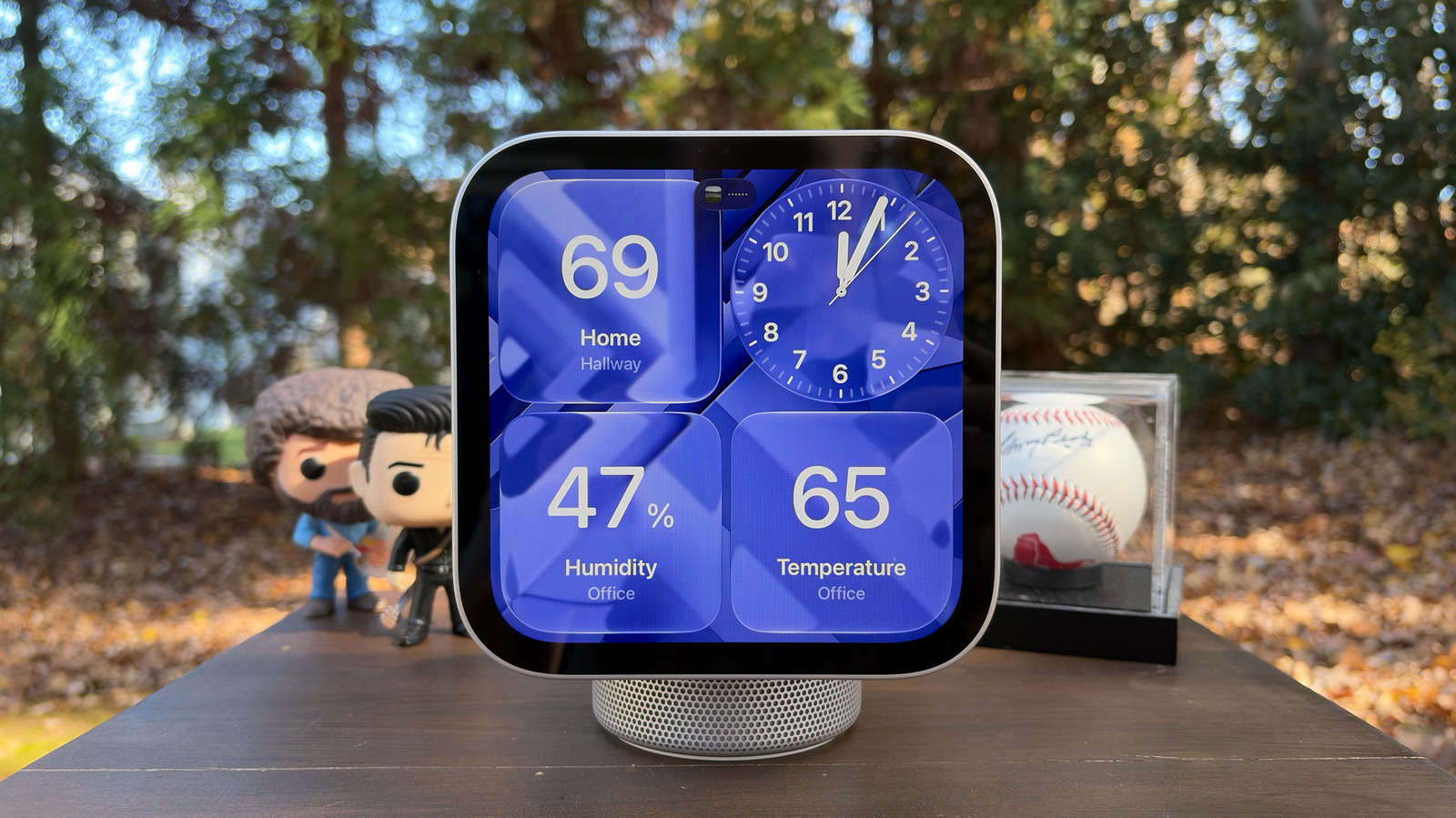
Apple's new HomeView smart display functions as a companion for iPhone and iPad, requiring iOS 27.2 and biometric authentication to access personal data.
 💻Tech
Photo: Engadget
Key points
- HomeView acts as a mirrored display for devices running iOS 27.2
- Full functionality requires Apple Intelligence and next-gen Siri AI
- Biometric Face and Voice Recognition protect personal data for up to 6 users
Apple has officially introduced HomeView, a new smart home hub designed to act as a secondary display for mobile devices. Unlike standalone smart displays, HomeView follows a model similar to CarPlay, mirroring compatible applications from a user's iPhone or iPad rather than running them natively. To utilize the device, users must ensure their hardware is running the recently released iOS 27.2 or iPadOS 27.2.
AI Integration and Privacy Standards
The core of the HomeView experience is Apple Intelligence. The device requires the activation of Siri AI, a next-generation assistant capable of more conversational and useful responses. While it supports core apps like Calendar, Messages, Reminders, and Weather, HomeView does not store personal data locally. It will only display sensitive information, such as private texts, if it can verify the user's identity through face and voice recognition while the paired iPhone is nearby.
Setup and Multi-User Support
Pairing an iPhone or iPad with HomeView is designed to be seamless. By holding a device near the powered-on display, a setup card appears, prompting the user to center the HomeView in the camera frame to capture a pairing animation. Alternatively, a manual four-digit passcode can be used. During setup, users can sync Wi-Fi settings and assign the device to a specific room within the Home app.
- Supports up to six unique users on a single device.
- Requires Face and Voice Recognition setup for personalized access.
- Managed through the Apple Home and Find My applications.
Security is a central pillar of the HomeView design. By requiring biometric authentication for each of the six supported users, Apple ensures that personal content remains hidden from other family members. If the device cannot verify the identity of the person in front of it, it remains in a restricted mode, showing only non-sensitive information.
Source Engadget — engadget.com/2318610/easy-apple-homeview-setup-with-iphone/ ↗
Read next
 📈Business
Trump Administration Pressures Intel and Nvidia, Sparking Concerns Over State Control
Newly unsealed court documents reveal aggressive government pressure on Intel and Nvidia, shifting tech policy toward direct state stakes.
 🚀Space
Ukraine braces for another difficult winter amid ongoing attacks on energy infrastructure
Ukrainians are preparing for a harsh winter as continuous strikes on energy facilities and rising food prices strain households.
 🛡️Cyber
Russia’s hybrid war on Europe is evolving but failing to deter Ukraine support, IISS report says
A report by the IISS highlights an increase in Russian sabotage and infrastructure attacks across Europe, noting however that the strategy has failed to weaken support fo…
 🔬Science
Biomolecular analysis reveals centuries-old embalming recipes for Egyptian crocodile mummies
A study of ancient Egyptian crocodile mummies shows that embalmers used the exact same beeswax and pine resin recipe centuries apart at a single site.
 🛡️Cyber
Cybersecurity Weekly Roundup: Ransomware Fraud, ChatGPT Sites Leaks, and New Defenses
The latest threat intelligence roundup covers charges against a recovery firm co-founder, web app exposure risks, software patches, and VirusTotal's new detection feature…
 🌍World
NATO Fighter Jets Scrambled After Drone Enters Latvian Airspace
Latvian armed forces deployed Alliance aircraft and interceptors following a brief border breach by an unidentified unmanned aerial vehicle.