Soundbar Audio Delay: Causes and Solutions
Audio-video synchronization issues with TVs and connected soundbars are common, but they can often be resolved with simple adjustments or connection checks.
 💻Tech
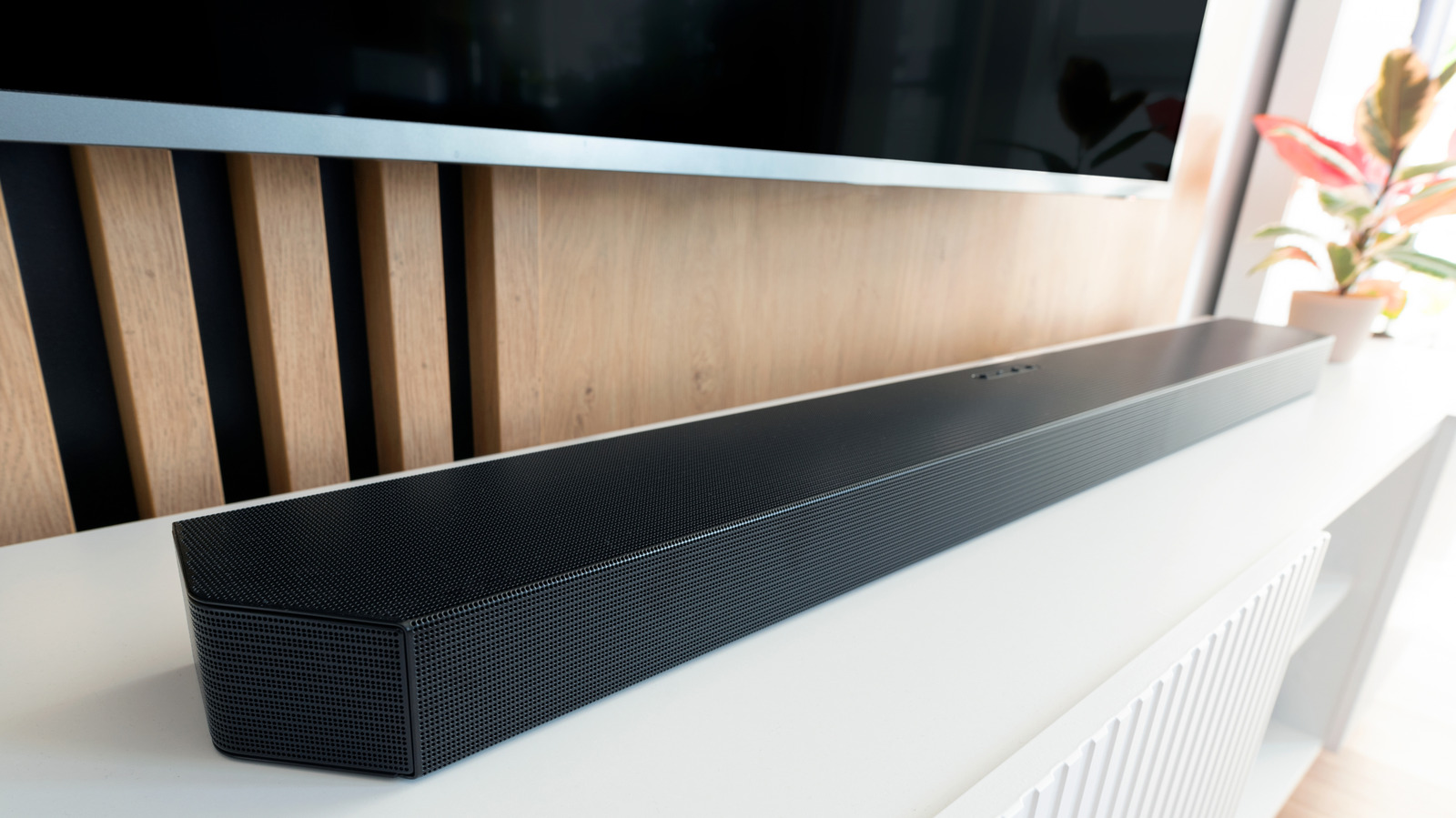
Photo: Engadget
Key points
- Soundbar audio delay is a common issue.
- Causes include additional signal processing, cable problems, content sources, and advanced TV features.
- Solutions involve adjusting sync settings, checking connections, or direct device routing to the soundbar.
- Disabling certain TV features can also help reduce the delay.
Why Does Audio Delay Occur?
While audio delay might seem like a complex problem, its causes are often quite straightforward. One of the most common reasons is additional signal processing. When you use only your TV's built-in speakers, the TV processes video and audio synchronously. However, when a soundbar is introduced to the system, an extra layer of processing occurs: the TV decodes the video, and the soundbar decodes the audio. Even a slight discrepancy in the timing of these processes can lead to a noticeable delay.
Other contributing factors to audio delay include:
- Connection Issues: A loose or damaged optical or HDMI cable can be a culprit.
- Content Source: The delay might be specific to a particular cable provider or streaming service.
- Wireless Connections: Unstable Wi-Fi or Bluetooth can also introduce lag.
- Advanced TV Features: Certain features like digital noise reduction, dynamic contrast, game mode, movie/cinema mode, virtual surround sound, and dialogue enhancers require extra processing time, which can cause delays.
- HDMI ARC Limitations: Older HDMI ARC ports may lack the bandwidth to transmit high-quality compressed audio without introducing latency.
How to Fix the Problem?
Several methods can help resolve audio delay:
- Check Connections: Ensure all cables are securely connected, or try replacing them.
- Adjust Sync Settings: Many soundbars (e.g., Samsung, LG, Sonos) have dedicated features for adjusting audio synchronization (Audio Sync, AV Sync, TV Dialog Sync).
- Direct Routing: Connect devices like cable boxes, streaming devices, or gaming consoles directly to the soundbar's HDMI input, then connect the soundbar to the TV. This bypasses the TV's audio processing.
- Disable Extra Features: Try disabling advanced picture and sound processing features on your TV that might be causing the delay.
Source Engadget — engadget.com/2312648/reasons-why-tv-soundbar-audio-delay/ ↗
Read next
 📈Business
Trump Administration Pressures Intel and Nvidia, Sparking Concerns Over State Control
Newly unsealed court documents reveal aggressive government pressure on Intel and Nvidia, shifting tech policy toward direct state stakes.
 🚀Space
Ukraine braces for another difficult winter amid ongoing attacks on energy infrastructure
Ukrainians are preparing for a harsh winter as continuous strikes on energy facilities and rising food prices strain households.
 🛡️Cyber
Russia’s hybrid war on Europe is evolving but failing to deter Ukraine support, IISS report says
A report by the IISS highlights an increase in Russian sabotage and infrastructure attacks across Europe, noting however that the strategy has failed to weaken support fo…
 🔬Science
Biomolecular analysis reveals centuries-old embalming recipes for Egyptian crocodile mummies
A study of ancient Egyptian crocodile mummies shows that embalmers used the exact same beeswax and pine resin recipe centuries apart at a single site.
 🛡️Cyber
Cybersecurity Weekly Roundup: Ransomware Fraud, ChatGPT Sites Leaks, and New Defenses
The latest threat intelligence roundup covers charges against a recovery firm co-founder, web app exposure risks, software patches, and VirusTotal's new detection feature…
 🌍World
NATO Fighter Jets Scrambled After Drone Enters Latvian Airspace
Latvian armed forces deployed Alliance aircraft and interceptors following a brief border breach by an unidentified unmanned aerial vehicle.